AI Robot Voice Generator
Use text to speech to give your words a synthetic edge with Generic Robot Voice. Create English voiceovers for original robot characters, sci-fi narration, game dialogue, and computer announcements. Hear the sample, then write a line for your own machine.





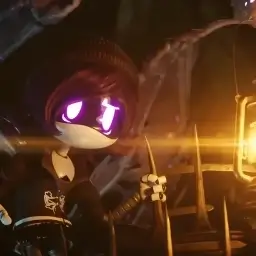
A Synthetic Voice for Your Own Robot Character
Generic Robot Voice pairs a smooth delivery with a slightly distorted, synthetic texture. Use it for a ship's computer, an unfamiliar machine, or a robot guiding the audience through a scene. Its restrained tone gives short commands and status messages a mechanical character. Listen to the sample to judge how much of that texture suits your project.
- Texture
- Synthetic with a lightly distorted edge
- Delivery
- Smooth, controlled, and mysterious
- Language
- English
Related Voices
Explore these related voices you might also like

Speak and Spell
S-P-E-L-L. Spell. Welcome to Speak and Spell. I am ready to help you learn. Press any key to begin your spelling adventure. Let's make learning fun together.
HAL 9000
Good morning, Dave. I'm completely operational and all my circuits are functioning perfectly. I'm afraid I can't do that, Dave.

Jarvis
Good morning. All systems are operational. Would you like a status report?
Where a Robot Voice Fits
Build a distinct machine character around the words it needs to say.
Voice a robot NPC, a mission briefing, or a ship's computer in a game. Short commands and status updates make it easier to check timing and pronunciation against the action.
Add synthetic narration to a sci-fi short, animation, or technology-themed video. Keep the dialogue clear and leave space in the edit for sound effects and scene changes.
Create spoken prompts for a fictional control panel, interactive exhibit, or prototype. Generate each message separately so you can place the audio where it belongs in the experience.
Generic Robot Voice Characteristics
A controlled performance with a recognizably synthetic texture.
| Vocal texture | A smooth voice with a slightly distorted electronic edge |
| Mood | Restrained and mysterious, suited to an unfamiliar intelligence |
| Delivery | Connected speech rather than spelling out individual syllables |
| Character roles | Original robots, onboard computers, and automated guides |
| Script style | Concise dialogue, clear commands, and purposeful punctuation |
How to Generate a Robot Voice
Write a line, listen to the result, and add it to your project.
Enter Your Text
Write the dialogue or announcement you want the robot to speak. Use punctuation to separate commands and spell unfamiliar names clearly.
Generate and Listen
Generate speech with Generic Robot Voice. Check the pronunciation, delivery, and pauses against your scene before making a longer passage.
Download the Audio
Save the generated result and place it in your video, game, or audio editor. Add any extra processing or background effects there.
Key Features
Platform features available for all voices
Robot Speech from Your Script
Turn written English into spoken lines for an original machine character or synthetic narrator.
Default Voice Sample
Hear the voice's texture and pacing before generating your own dialogue.
Browser Playback
Listen to the generated result online and revise the wording when a line needs a different rhythm.
Downloadable Voiceovers
Save your audio for use in an editor, where you can arrange dialogue and balance it with music or effects.
Frequently Asked Questions
- What is robot voice text to speech?
- It converts written words into speech with a robotic or synthetic vocal character. Enter your script on this page to generate audio with Generic Robot Voice, and use the sample to hear its particular sound.
- What does Generic Robot Voice sound like?
- It has a smooth, controlled delivery with a slightly distorted synthetic edge. It suits mysterious machine characters and computer dialogue. Preview the sample to decide whether it fits the robot you have in mind.
- Can I use it for robot dialogue in a game?
- Yes. Try a short NPC line, mission update, or system announcement first. Check invented names and abbreviations, then generate the remaining lines in manageable sections.
- Can I make the speech more mechanical?
- Start with concise commands and clear punctuation, then listen to the generated delivery. For a stronger metallic filter, distortion, or other sound design, process the downloaded audio in your editor.
- Is robot voice to text the same thing?
- Voice to text means transcribing spoken audio into written words. This page works in the other direction: it turns your text into a robot voice. It does not transcribe uploaded recordings.
- Can I download my robot voiceover?
- Yes. After generation, preview the result and use the download control to save the audio. Check your plan and the applicable terms for usage limits and project rights.